Moss AI Token Cost Tracker
- Last updated
- Nov 2026
- Built by
- Moss Finance
See your company’s AI spend across Anthropic and OpenAI in one place, and trace every jump to the team, model or workflow behind it.
- Spend analysis and reporting
- Cards and employee expenses
- Month-end close
- Receipts & documents
- Accountants
- Expense admins
Know what you’re spending on AI.
OpenAI and Anthropic costs and usage in one dashboard.
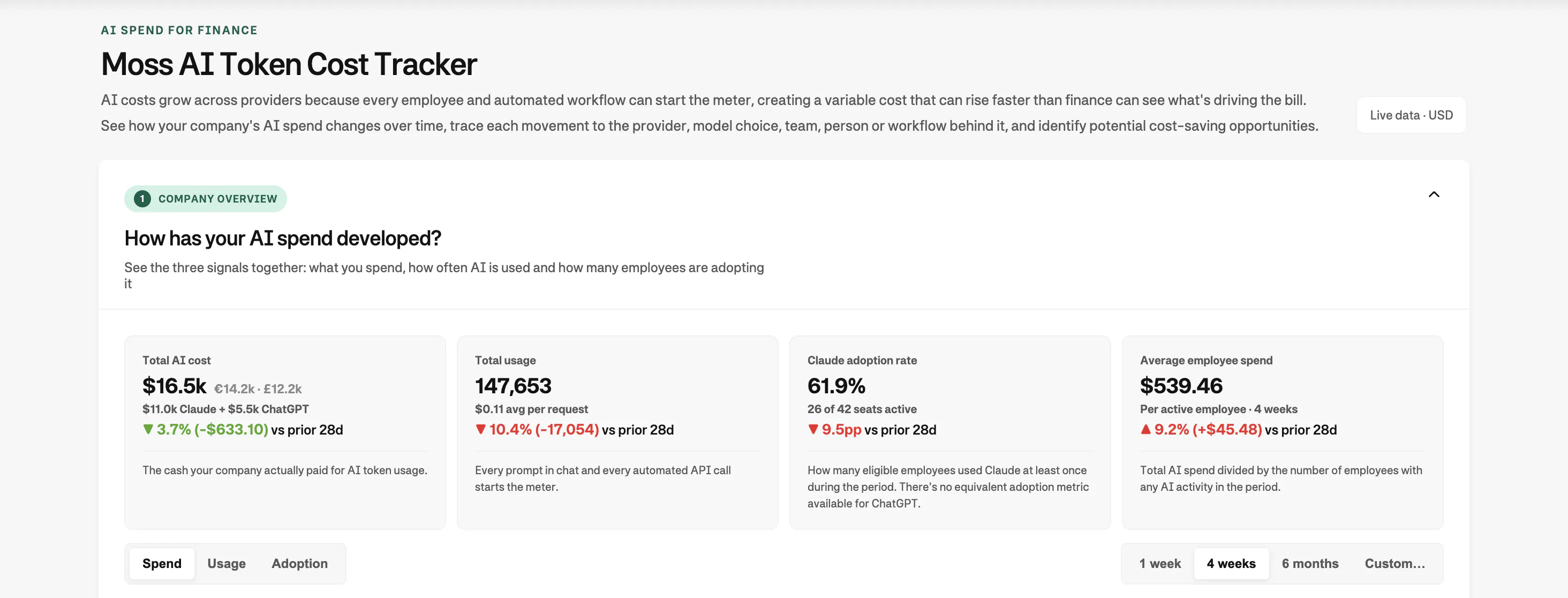
- Total spendSee what AI costs you all in one place.
- Employee adoptionSee each individuals spend on AI tools.
- Usage over timeTrack what is changing over time.
Sample data. Connected providers only.
How to set up the Moss AI Token Cost Tracker
Follow the video guide for your system (Mac or Windows) below. It walks you through each step, including exactly which commands to copy and paste. If you experience any issues, ask your IT team for help.
Install and run it
Takes about 15 minutesIt runs on your own computer. Pick your system, or let an AI coding agent set it up for you.
Enter your Admin API keys only in the dashboard, never in Terminal, email or Slack. Stuck? Screenshot the error (no keys in it) and ask your AI assistant. Full setup guide on GitHub
What it does
AI Spend Control is a local application that connects directly to the Anthropic and OpenAI Admin APIs, combines the same usage and cost data from their separate dashboards on your computer, and brings LLM cost management into one view designed for finance rather than IT administration.
By surfacing the metrics that matter, it helps finance see how AI costs are developing and understand what is driving each change.
 Company overview
How much are we spending on AI?
Track AI costs, usage and adoption over time across OpenAI and Anthropic, in one place.
 Spend planning
What will AI cost us next quarter?
Forecast from your own trends, then test scenarios for adoption, usage, provider mix, model mix and pricing.
 AI cost allocation
Who and what is behind the bill?
Break spend down by product category, AI model, team, person, API key and workflow.
What data it has access to
You stay in control. The tracker runs locally on your computer, even though it opens in a browser. Your Admin API keys and spend data stay on your device and are never received or stored by Moss.
It can
- Retrieve spend, requests and adoption
- Retrieve products, models, teams and users
- Retrieve API key and workflow usage
- Retrieve seat utilisation, where available
It can't
- Retrieve prompts, instructions or model responses
- Retrieve conversation content
- Retrieve uploaded files or internal documents
| It can | It can't |
|---|---|
| Retrieve spend, requests and adoption | Retrieve prompts, instructions or model responses |
| Retrieve products, models, teams and users | Retrieve conversation content |
| Retrieve API key and workflow usage | Retrieve uploaded files or internal documents |
| Retrieve seat utilisation, where available |
FAQ
An AI token is a small piece of text processed by a model. Providers count the tokens sent into the model and generated in its response, then apply rates that vary by model and token type.